Groovy Language: Complete Beginner’s Guide, Syntax, Features, Examples, and Uses
Learning a new programming language becomes much easier when you first understand why the language exists and what problem it is trying to solve. Groovy is a good example of this.
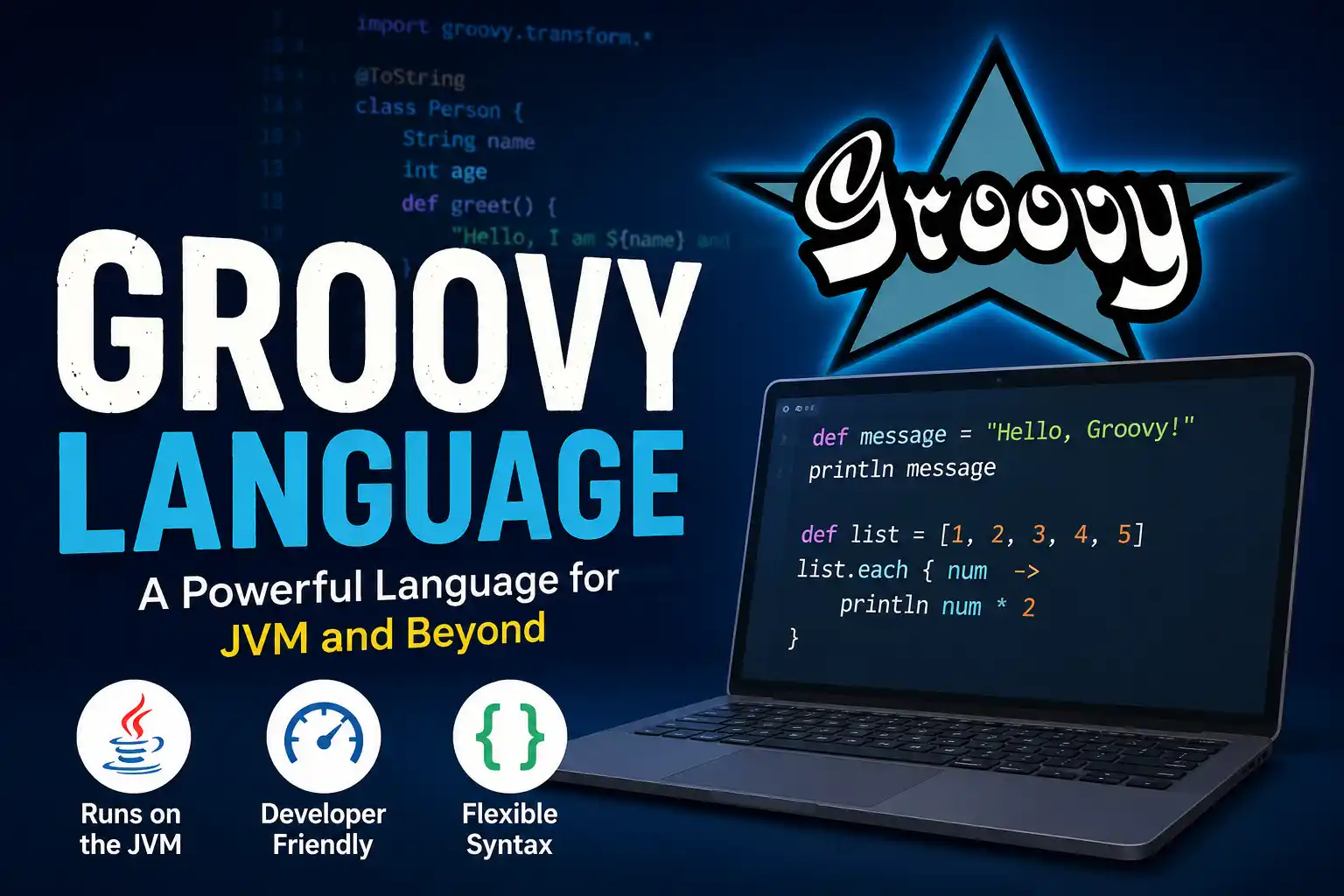
In simple terms, Groovy is a programming language for the JVM that combines Java compatibility with concise syntax, dynamic features, closures, and scripting capabilities. It runs on the Java Virtual Machine (JVM) and understands Java classes and libraries but gives developers a more flexible and concise way to write many everyday programs.
That makes Groovy useful for scripting, automation, testing, build tasks, application development, and domain-specific languages. It also makes the language interesting for students who want to understand how JVM programming can work beyond Java.
This guide explains Groovy from the beginning, including its syntax, variables, collections, closures, object-oriented programming, Java interoperability, practical uses, advantages, limitations, and a sensible learning path for beginners.
What Is the Groovy Language?
Groovy is an open-source programming language that runs on the Java Virtual Machine. It supports object-oriented and functional programming styles and can work with both dynamic and static typing.
One of Groovy’s most useful characteristics is that it does not force you to choose between the Java ecosystem and a more concise programming style. Groovy can interact with Java classes and libraries and ultimately runs in the JVM environment. The official project describes Groovy as a multi-paradigm language with Java interoperability, scripting capabilities, and support for domain-specific languages.
A very small Groovy program can look like this:
println "Welcome to Groovy"
For a beginner, this is worth noticing. You can start experimenting without first building a large program structure around the statement.
That does not mean Groovy ignores conventional programming. You can create classes, define methods, specify types, use interfaces, and build larger applications. The difference is that Groovy lets you use as much or as little ceremony as the task requires.
Key Features of Groovy
- Java interoperability
- Dynamic and static typing
- Closures
- String interpolation
- Groovy Development Kit
- Builders
- Traits
- Operator overloading
- Safe navigation
- Elvis operator
- Ranges
- Collection processing
- DSL support
- Metaprogramming
- AST transformations
- Scripting
Why Do Developers Use Groovy?
Imagine that you need to write a small script that reads information, changes it, and produces a result.
In Java, you may naturally approach the task using classes, explicit types, and more formal structure. That is useful for many applications, but it can feel excessive for a short script.
Groovy gives you another option.
You can write concise code while still having access to the Java platform.
This is one of the central ideas behind Groovy: keep the strengths of the JVM while making many programming tasks quicker to express.
Groovy’s official documentation also provides dedicated material for scripting, testing, JSON, databases, XML, SQL-like collection queries, templates, and other practical areas.
Groovy Language at a Glance
| Item | Details |
| Language | Groovy |
| Platform | Java Virtual Machine (JVM) |
| Project | Apache Groovy |
| Programming styles | Object-oriented and functional |
| Typing | Dynamic by default, with optional static checking and compilation |
| Java interoperability | Yes. |
| Common uses | Scripting, testing, automation, DSLs, and JVM development |
| Current stable documentation | Groovy 5.1.0 |
| Development releases | Groovy 6 and later work continues separately. |
Version numbers can be confusing when learning from older tutorials. The current official API documentation is for Groovy 5.1.0, while the project continues development toward newer releases. Always check the version used by a tutorial before copying its dependency or installation instructions.
A First Groovy Program
Before learning terminology, it helps to see a small program.
Suppose a teacher wants to display the names of students who scored more than 75 marks.
A simple Groovy solution could be the following:
def students = [
    [name: "Asha", marks: 81],
    [name: "Vikram", marks: 68],
    [name: "Meena", marks: 92],
    [name: "Arjun", marks: 73]
]

students.each { student ->
    if (student.marks > 75) {
        println "${student.name} scored ${student.marks}"
    }
}
There are several ideas here that are worth learning separately:
defcreates a variable without requiring an explicit type.- The square brackets create a list.
- Each student is represented by a map.
eachProcesses the entries.- The closure after
eachcontains the work performed by every student. ${...}inserts an expression into a string.
Instead of memorising these features individually, a beginner can understand them by seeing how they cooperate in a small program.
That is a useful way to learn Groovy.
Groovy Variables
Groovy allows variables to be declared in a concise way.
def studentName = "Neha"
def marks = 86
def percentage = 86.5
The def keyword does not mean that the value has no type. It allows Groovy to determine the type dynamically.
You can also specify the type yourself:
String studentName = "Neha"
int marks = 86
double percentage = 86.5
This flexibility becomes important as programs grow.
A beginner can use concise declarations while learning, then explore explicit typing and static type checking when working on larger projects.
Groovy supports optional static checking and static compilation through mechanisms such as @TypeChecked `Type Checking` and `Type Inference`.
Strings in Groovy
Strings are used everywhere in programming, and Groovy provides a convenient feature called string interpolation.
For example:
def name = "Kiran"
def subject = "Mathematics"

println "Student: $name"
println "Subject: $subject"
You can also put an expression inside ${}:
def marks = 80
def bonus = 5

println "Final marks: ${marks + bonus}"
This makes Groovy particularly pleasant for generating messages and formatted output.
It is worth knowing that Groovy’s interpolated strings can involve GString what different things than ordinary Java String. Groovy also handles conversion when a Java method expects one.
For beginners, the practical lesson is simple: use interpolation when it makes your output easier to read, but learn the difference between String them GString when you start working with Java APIs.
Lists and Maps
Groovy makes everyday collection work straightforward.
A list:
def subjects = ["Maths", "Science", "English"]
A map:
def student = [
    name: "Rahul",
    age: 18,
    grade: "A"
]
Values can then be accessed naturally:
println student.name
println student.grade
You can also process a list:
def numbers = [4, 7, 10, 13]

numbers.each { number ->
    println number
}
This is an area where Groovy becomes particularly expressive. Its development kit adds many methods for working with collections, making common operations such as searching, transforming, and filtering less cumbersome. The official documentation provides extensive coverage of these additions.
What Is a Closure in Groovy?
Closures are one of the concepts that beginners should spend time understanding because they appear throughout Groovy code.
A closure is a block of code that can be stored in a variable, passed to another method, and called later. It can accept parameters and return a result.
For example:
def greet = { name ->
    println "Hello, $name"
}

greet("Sonia")
Here is the closure.
You can also use a closure to calculate something:
def square = { number ->
    number * number
}

println square(6)
The result is
36
Groovy closures can also use an implicit parameter called it when appropriate:
def doubleNumber = { it * 2 }

println doubleNumber(7)
This feature is useful, but beginners should not feel pressured to use the shortest possible syntax. An explicit parameter name can often make code easier to understand.
Methods in Groovy
A method can be written in a style familiar to Java developers.
def multiply(int a, int b) {
    a * b
}

println multiply(6, 7)
The last expression can become the return value, so the explicit return keyword is not always necessary.
You can still use return when it improves clarity:
def checkMarks(int marks) {
    if (marks >= 40) {
        return "Pass"
    }

    return "Fail"
}
For students coming from Java, this is one of the easier parts of Groovy to understand.
Conditional Statements
Groovy supports familiar programming structures such as if loops and conditionals.
def marks = 72

if (marks >= 90) {
    println "Excellent"
} else if (marks >= 60) {
    println "Good"
} else {
    println "Keep practising"
}
The basic logic is not radically different from Java.
The major difference appears when Groovy’s other features are combined with these familiar structures.
Loops and Ranges
Groovy supports traditional loops:
for (int i = 1; i <= 5; i++) {
    println i
}
It also provides ranges:
(1..5).each {
    println it
}
For someone learning programming, ranges are worth experimenting with because they show how Groovy can express an operation without unnecessary syntax.
You can also work with lists directly:
def colours = ["Red", "Blue", "Green"]

colours.each { colour ->
    println colour
}
Classes and Objects in Groovy
Groovy is not limited to short scripts.
You can create classes and objects just as you would in other object-oriented languages.
For example:
class Student {
    String name
    int marks

    void display() {
        println "$name scored $marks"
    }
}

def student = new Student(name: "Ravi", marks: 84)
student.display()
This example introduces another useful Groovy convenience: property-style access and a concise way to create an object using named values.
As you move from beginner scripts to larger applications, understanding classes, inheritance, interfaces, and traits becomes important.
Groovy and Java: What Is the Connection?
Groovy is closely connected to Java, but they are separate languages.
The biggest practical advantage is interoperability.
A Groovy program can use Java classes and third-party Java libraries. Groovy also compiles to Java bytecode, allowing it to run on the JVM.
For example:
import java.time.LocalDate

def today = LocalDate.now()

println today
The LocalDate class here is from Java’s standard library.
This means a developer can take advantage of the enormous Java ecosystem while writing Groovy, where its concise syntax is useful.
That is a much more important reason to learn Groovy than simply saying that it has “easy syntax.”
Groovy vs. Java
The two languages overlap, but they are not interchangeable in every situation.
| Groovy | Java |
| Concise syntax | More explicit syntax |
| Dynamic features available | Strong static typing |
| Optional static compilation | Statically compiled |
| Closures are central to the language. | Uses Java lambdas and functional interfaces |
| Excellent for scripting | Strong general-purpose application language |
| Flexible DSL syntax | More conventional syntax |
| Uses the JVM | Uses the JVM |
| Can directly work with Java libraries | Native Java ecosystem |
The choice should depend on the task.
If you are building a large enterprise application, Java may be the natural choice for your team.
If you need a concise JVM script, test specification, build task, or DSL, Groovy may be a better fit.
There is no requirement that learning one means rejecting the other.
What Is Groovy Used For?
Groovy has several practical uses.
Automation
Groovy can be used to automate repetitive development or system tasks.
A script can read files, transform information, call Java APIs, and produce reports without requiring a large application structure.
Testing
Testing is an important part of the Groovy ecosystem.
The language’s concise syntax works well for expressing test scenarios, and Groovy has dedicated testing tools and libraries.
The official documentation includes a testing guide and supports testing-related modules.
Build and Development Tasks
Groovy is commonly encountered in development environments where build configuration or automation logic is expressed using Groovy-based tools.
This is one reason a developer may encounter Groovy even if they were originally working primarily with Java.
Domain-Specific Languages
A domain-specific language focuses on a particular type of problem.
Groovy’s flexible syntax makes it possible to create readable DSLs that express rules or configuration in terminology closer to the problem being solved.
The Apache project specifically lists DSL creation among Groovy’s capabilities.
Web and JVM Applications
Groovy can also be used for application development, including web technologies and frameworks within the JVM ecosystem.
The official documentation includes material covering application integration, servlet support, databases, templates, and related technologies.
What Makes Groovy Different From Python?
Beginners sometimes compare Groovy with Python because both can provide concise syntax and dynamic programming features.
They are nevertheless designed around different ecosystems.
Python has its own runtime and ecosystem and is widely used in areas such as data science, automation, education, and web development.
Groovy is strongly tied to the JVM and Java ecosystem.
So if you already work with Java libraries, Java applications, or JVM-based build and testing tools, Groovy can fit naturally into that environment.
If your primary interest is data science or machine learning, Python may be the more relevant language to learn first.
The right choice depends more on your goal than on which language has fewer lines of code.
Advantages of Groovy
Groovy can be a strong choice in the right environment.
Concise code
Many everyday tasks require less boilerplate.
Java interoperability
Existing Java classes and libraries can be used from Groovy.
Flexible typing
Developers can work dynamically or introduce static checking and compilation.
Useful closures
Closures make collection processing and callback-style programming expressive.
Good scripting support
Small automation scripts can be written without creating a large project structure.
DSL capabilities
Groovy can be shaped into readable domain-specific solutions.
Strong development ecosystem
The project provides documentation and modules for areas including JSON, XML, databases, templates, testing, and more.
Limitations of Groovy
Groovy is not automatically the best language for every project.
Its flexibility can make code harder to maintain if a development team does not agree on coding conventions.
Dynamic behavior can also mean that some problems appear during execution rather than during compilation. Static type checking and static compilation can help where stronger compile-time guarantees are desirable.
Another issue for learners is the large number of older tutorials available online.
A tutorial written for an earlier Groovy release may still be useful for understanding a concept, but its installation commands, dependency configuration, or syntax may not match the version you are using.
This is why the official documentation should be your reference whenever version-specific details matter.
Is Groovy Compiled or Interpreted?
This question can be confusing because Groovy supports scripting and also compiles to Java bytecode.
Groovy scripts can be executed directly in a scripting environment, which makes the language feel interpreted from a learner’s perspective.
At the same time, Groovy code can be compiled into Java bytecode and run on the JVM. The official Groovy documentation describes this compilation and Java interoperability as core characteristics of the language.
So it is better not to think of Groovy as simply “an interpreted language.”
Its execution model depends on how the code is being used.
How to Install Groovy
Before installing Groovy, check the requirements for the version you intend to use.
The official documentation provides several installation options, including SDKMAN! and downloadable distributions.
For an environment using SDKMAN!, installation can be performed with:
sdk install groovy
After installation, check the version:
groovy --version
If the command returns the installed Groovy version, the command-line installation is ready.
Students should avoid blindly following an old installation tutorial. First, check which Groovy version the tutorial uses and whether its Java requirement matches your machine.
A Practical Groovy Exercise for Students
Here is a small exercise that is more useful than simply printing “Hello World.”
Create a list of temperatures and determine which readings are above 30 degrees.
def temperatures = [28, 31, 34, 27, 36, 29, 32]

temperatures.each { temperature ->
    if (temperature > 30) {
        println "$temperature°C is above 30°C"
    }
}
Now change the program yourself.
Try to:
- Count how many temperatures are above 30.
- Find the highest temperature.
- Calculate the average.
- Store the results in a new list.
- Turn the calculation into a method.
This type of exercise teaches more than memorising syntax because you are forced to use the language.
Groovy Learning Roadmap for Beginners
If you are completely new to Groovy, do not start with metaprogramming or advanced DSL techniques.
A sensible order is
Stage 1: Basic programming
Learn:
- Variables
- Numbers
- Strings
- Operators
- Conditions
- Loops
Stage 2: Groovy collections
Practice:
- Lists
- Maps
- Ranges
- Collection methods
Stage 3: Closures
Understand:
- Closure parameters
- The
itparameter - Passing closures to methods
- Returning values from closures
Stage 4: Object-oriented programming
Learn:
- Classes
- Objects
- Properties
- Methods
- Inheritance
- Interfaces
- Traits
Stage 5: Java interoperability
Start using:
- Java classes
- Java libraries
- Java APIs
Stage 6: Practical programming
Build small projects involving:
- Files
- JSON
- XML
- APIs
- Data processing
Stage 7: Testing and automation
Explore testing frameworks and automation tools used with Groovy.
Stage 8: Advanced Groovy
Only after the fundamentals are comfortable should you move into the following:
- Metaprogramming
- AST transformations
- DSL development
- Advanced concurrency
- Performance considerations
This progression gives you a reason to learn each feature instead of trying to remember the entire language at once.
Should You Learn Groovy in 2026?
If Groovy is relevant to the technology you want to work with, yes.
It is particularly worth considering if you are interested in Java and JVM development, testing, build automation, scripting, or tools that use Groovy.
The language is also still actively maintained. The current Apache documentation includes Groovy 5.1.0, while the project continues work toward future releases. Groovy 5 includes broader JDK compatibility and improvements to its extension methods, REPL, and Java interoperability.
However, students should choose their first programming language according to their career goal.
If your target is data science, Python may be a better starting point.
For Android or general enterprise JVM development, Java or Kotlin may be more immediately relevant.
If your work involves a Groovy-based tool or Java automation environment, learning Groovy can be extremely useful.
Common Mistakes Beginners Make With Groovy
Trying to learn every feature immediately
Groovy has a lot of advanced functionality. You do not need to understand metaprogramming on your first day.
Treating def as a replacement for understanding types
Dynamic typing is convenient, but understanding what values and objects actually are remains important.
Using very short syntax everywhere
Shorter code is not automatically better code.
An explicit closure parameter can sometimes be clearer than relying on it.
Copying old tutorials without checking versions
Groovy has changed over time. Always verify version-specific instructions.
Learning syntax without building anything
Write small scripts. Process a list. Read a file. Calculate something. Build a test. Practical work makes the syntax stick.
Frequently Asked Questions About Groovy Language
Absolutely. These should be short, natural, beginner-friendly answers that can fit into your existing Groovy article without keyword stuffing.
What is the Groovy language?
Groovy is an open-source programming language that runs on the Java Virtual Machine (JVM). It works closely with Java while offering concise syntax, dynamic features, closures, scripting capabilities, and support for building domain-specific languages.
Groovy programming language
Groovy is a JVM-based programming language designed to make many programming tasks more concise. It supports both dynamic and static programming styles and can use existing Java classes and libraries.
Groovy syntax
Groovy syntax is similar to Java but generally requires less code for common tasks. It supports features such as optional type declarations, string interpolation, closures, ranges, collection methods, and concise object creation.
Groovy language examples
Simple Groovy examples include printing text, working with lists and maps, using closures, processing data, and creating classes. For example, it println "Hello, Groovy" is enough to display a message.
Groovy programming
Groovy programming involves writing scripts, applications, automation tasks, tests, and other JVM-based solutions. Its concise syntax and access to Java libraries make it useful for both small scripts and larger projects.
Groovy tutorial
A Groovy tutorial usually starts with variables, data types, strings, operators, conditions, loops, lists, maps, methods, and closures. After learning these basics, beginners can move on to classes, Java interoperability, testing, and automation.
What is Groovy used for?
Groovy is used for scripting, automation, testing, build tasks, data processing, DSL development, and JVM-based application development. It is also commonly encountered in tools and projects that integrate with the Java ecosystem.
How to learn Groovy
Start by learning basic programming concepts and Groovy syntax, then practice lists, maps, methods, closures, and classes. After that, explore Java interoperability, testing, automation, and small practical projects.
Groovy closures
A Groovy closure is a reusable block of code that can be stored in a variable, passed to a method, and executed when needed. Closures are widely used for collection processing, callbacks, and concise programming.
Groovy Java interoperability
Groovy has strong Java interoperability, allowing Groovy programs to use Java classes, APIs, and third-party libraries. Because Groovy runs on the JVM, developers can combine Groovy code with existing Java-based projects and tools.
Is Groovy a programming language?
Yes. Groovy is an open-source, multi-paradigm programming language designed for the JVM.
Is Groovy easy for beginners?
Groovy can be approachable because its syntax is concise. It is especially comfortable for people who already know Java, although beginners from other programming backgrounds can learn it too.
Do I need Java before learning Groovy?
No. Java knowledge is helpful but not mandatory. Basic programming concepts such as variables, conditions, loops, and methods are enough to begin.
What is a Groovy closure?
A closure is a block of code that can be assigned to a variable, passed around, and executed. It can accept parameters and return a value.
Can Groovy use Java libraries?
Yes. Java interoperability is one of Groovy’s major strengths, and Groovy programs can work with Java classes and libraries.
Does Groovy support static typing?
Yes. Groovy supports dynamic programming by default but also provides static type checking and static compilation.
Is Groovy better than Python?
Neither is universally better. Python has a much broader presence in areas such as data science and machine learning, while Groovy’s major advantage is its close relationship with the JVM and Java ecosystem.
Is Groovy better than Java?
Not generally. Groovy is useful when concise syntax, scripting, automation, testing, or DSL capabilities are important. Java remains a major general-purpose language with a large ecosystem.
Final Takeaway
Groovy is easiest to appreciate when you stop thinking of it as simply “Java with shorter syntax.”
Its real value comes from the combination of several things: JVM compatibility, Java interoperability, concise programming, dynamic and static typing options, closures, powerful collection handling, scripting support, and the ability to create expressive DSLs.
For a student, the best way to approach Groovy is to learn one concept and immediately use it. Write a small script, change it, break it, fix it, and then turn it into something slightly more useful.
Start with variables and control flow. Move into lists and maps. Learn closures carefully. Then explore classes, Java interoperability, testing, and automation.
Once those foundations are comfortable, the more unusual parts of Groovy—such as metaprogramming and DSL development—will make much more sense.
The official Apache Groovy documentation is the best reference for version-specific syntax, installation information, and advanced language features.
Online Java Compiler
An online Java compiler lets you write, run, and test Java programs directly in your web browser without installing Java or setting up a development environment. It is a useful tool for students who are learning Java and want to practice coding quickly. You can enter your program, click Run, and see the output instantly. Online Java compilers are also helpful for testing small programs, checking syntax, and understanding how Java code works. Beginners can practice concepts such as variables, loops, methods, arrays, and classes from any device. For students, it provides a simple way to learn Java through hands-on coding and experimentation.
Python Programming Language
Python Programming Language is a popular, easy-to-learn language used for creating websites, software, and applications. Its simple syntax makes it a good choice for beginners who are starting their programming journey. Python can also be used for data analysis, artificial intelligence, machine learning, automation, and many other technology-related tasks. One of its biggest advantages is the large collection of libraries and tools available for different projects. Students can practice Python by writing small programs and gradually move to more advanced concepts such as functions, classes, and modules. Because it is versatile and widely used, learning Python can help students build useful programming skills.